

**SEM — Server Event Manager** turns "we should do a race night Saturday" into a real, scheduled, self-announcing event — without touching a database or writing a single line of code.
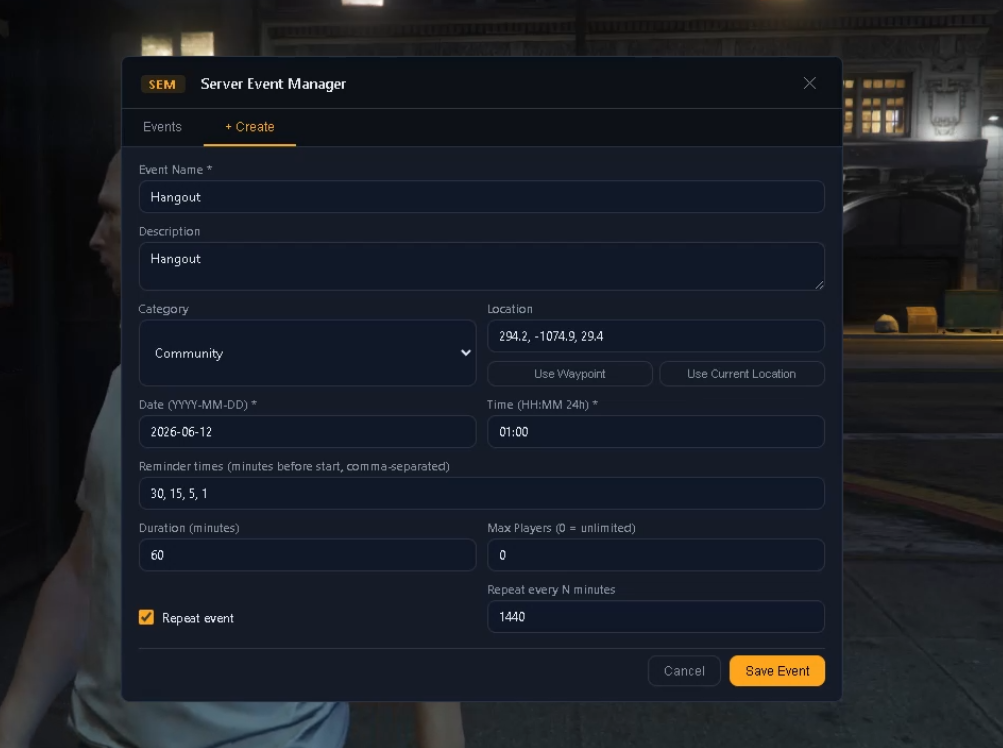
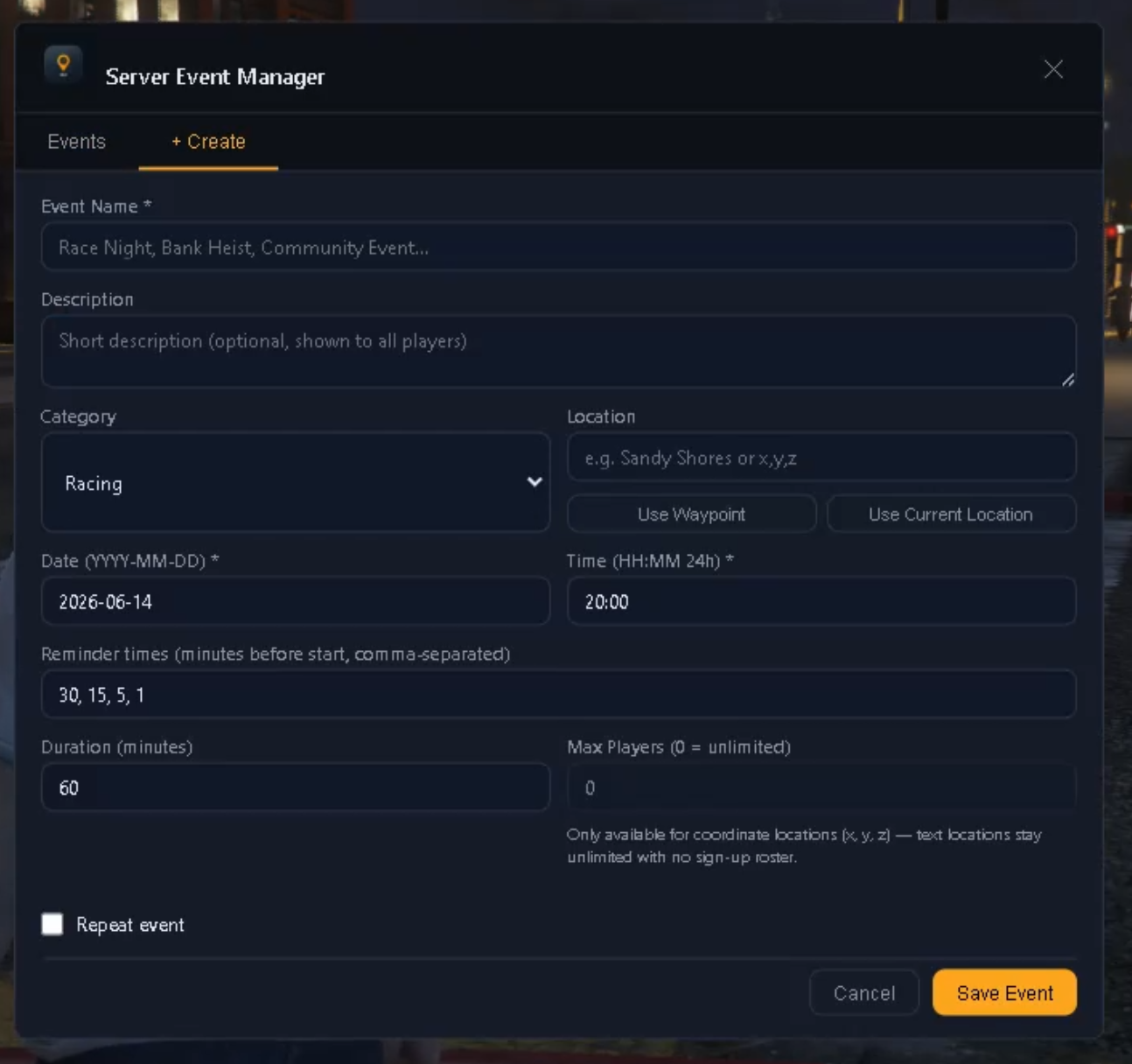
Open the admin panel, fill out the event (name, category, date/time, duration, location, max players), hit save. SEM handles the rest: countdown reminders, chat/HUD/subtitle announcements, map blips, and automatic start/end — even repeating events like weekly race nights.
### ✨ Features
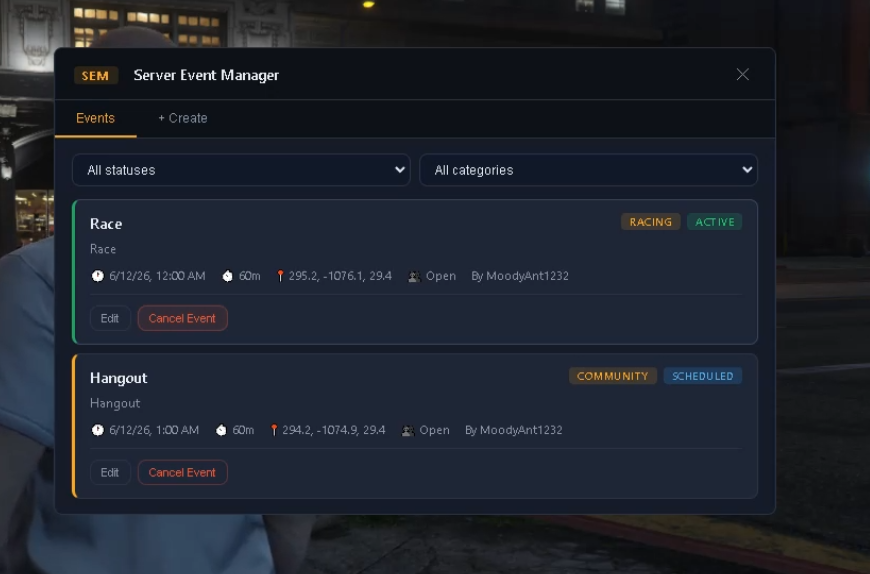
- **Live Admin Panel (NUI)** — create, edit, and cancel events from an in-game UI. No commands to memorize.
- **Edit on the fly** — even active events can have their duration and max players adjusted live.
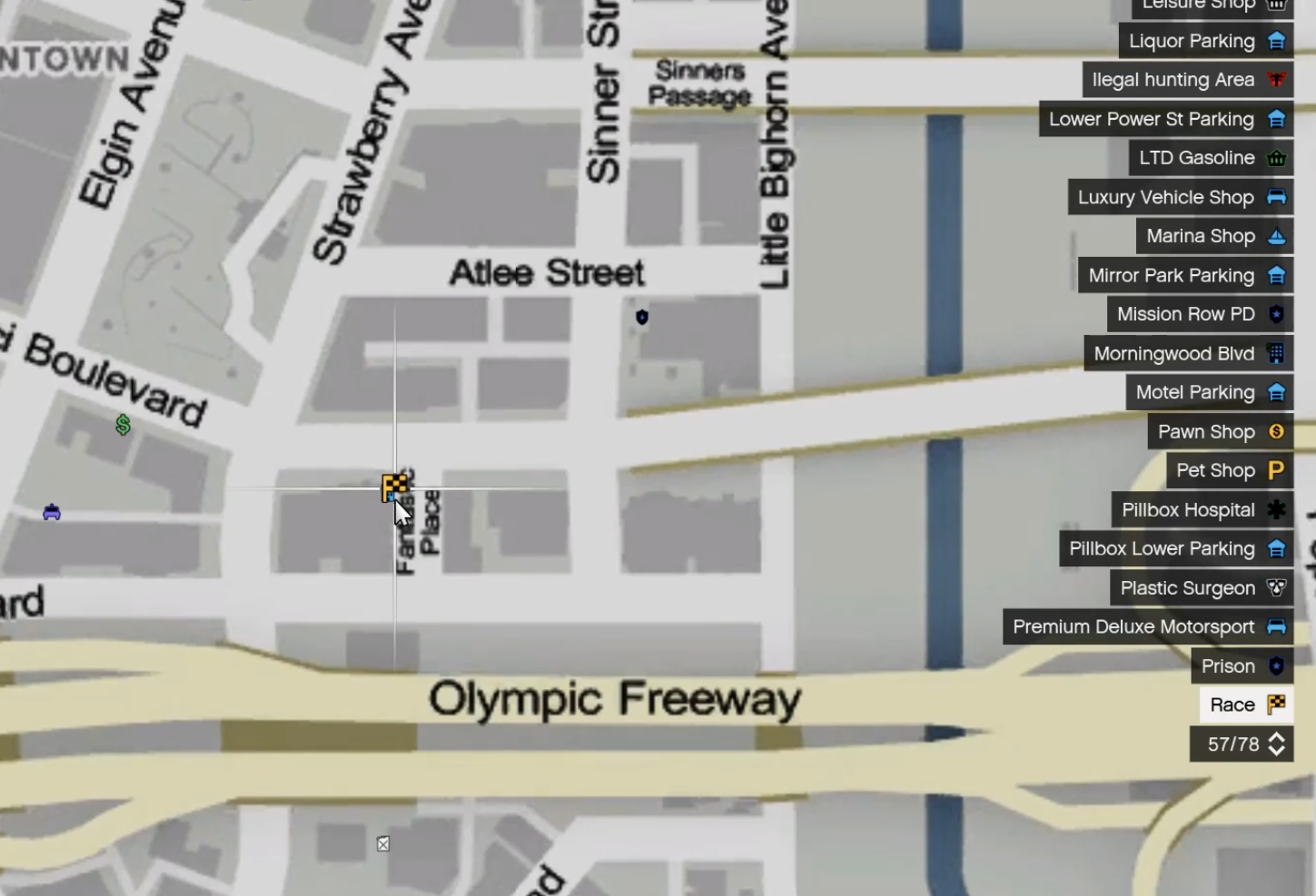
- **One-click locations** — "Use Waypoint" or "Use Current Location" buttons fill in event coordinates instantly from the map or your position.
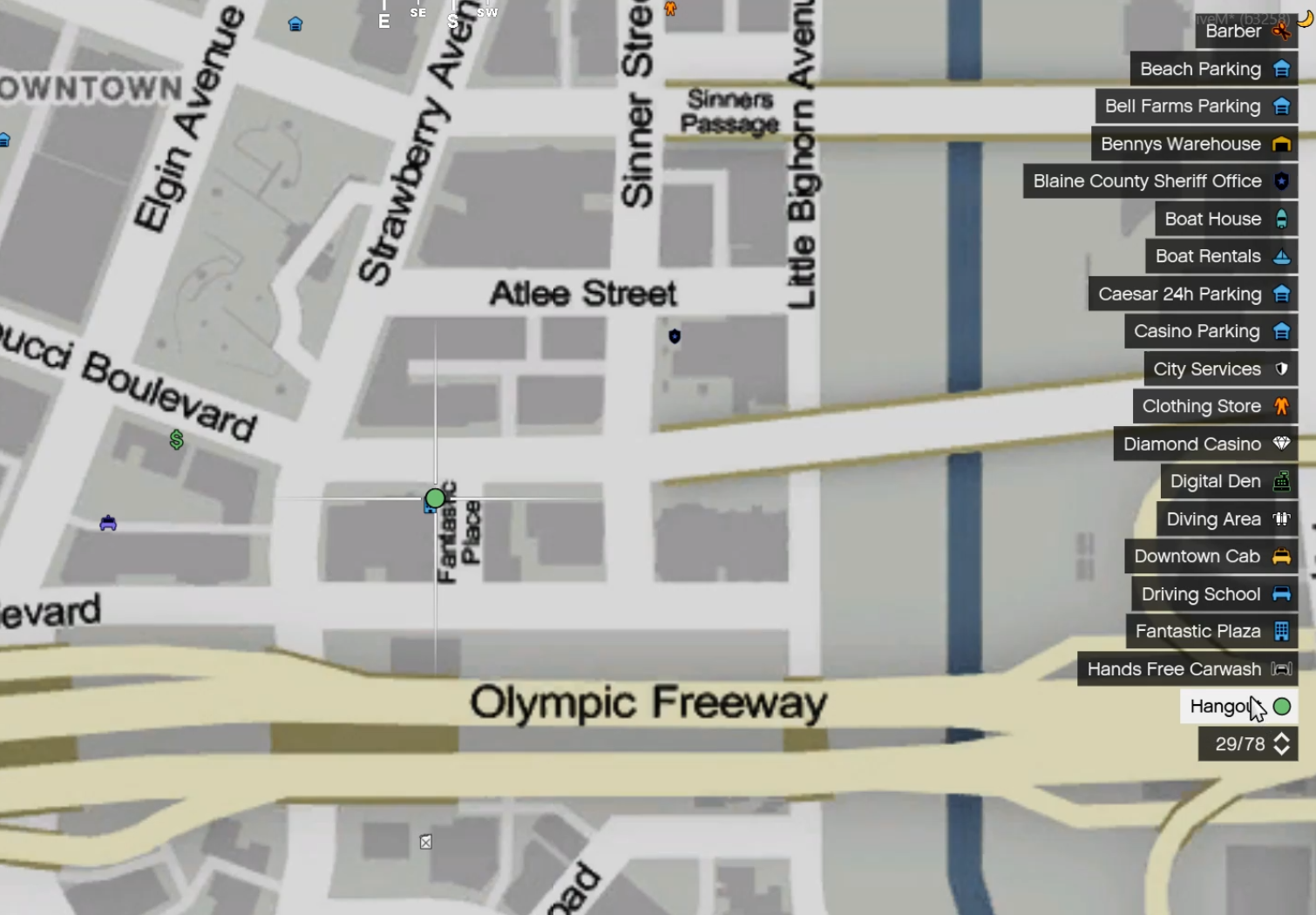
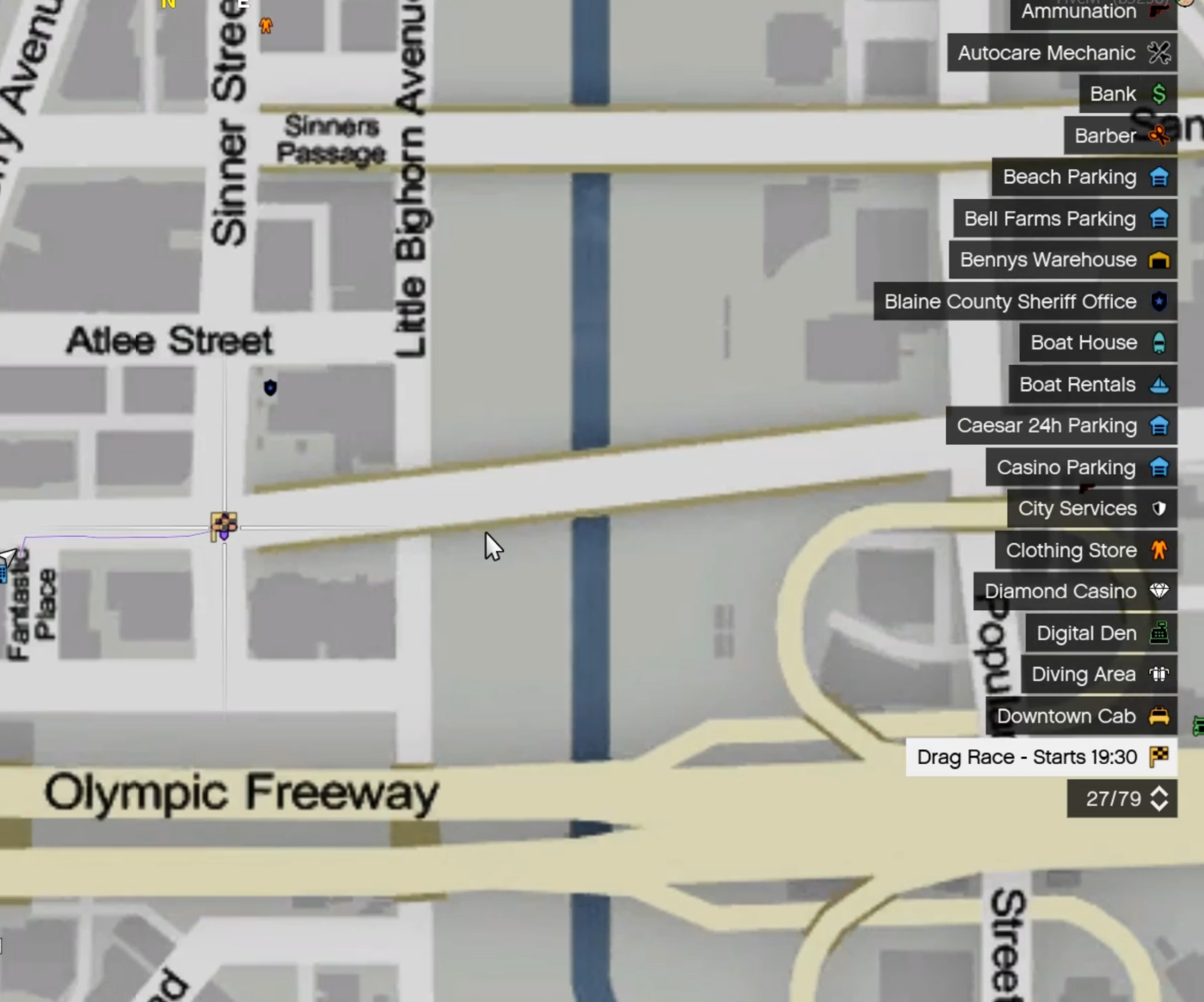
- **Smart map blips** — scheduled events show a dimmed preview blip with the start time ("Race Night - Starts 20:00") so players can set a waypoint early; once live it brightens to "LIVE." Styled per category (race flag, skull & crossbones, police car, etc.), fully customizable.
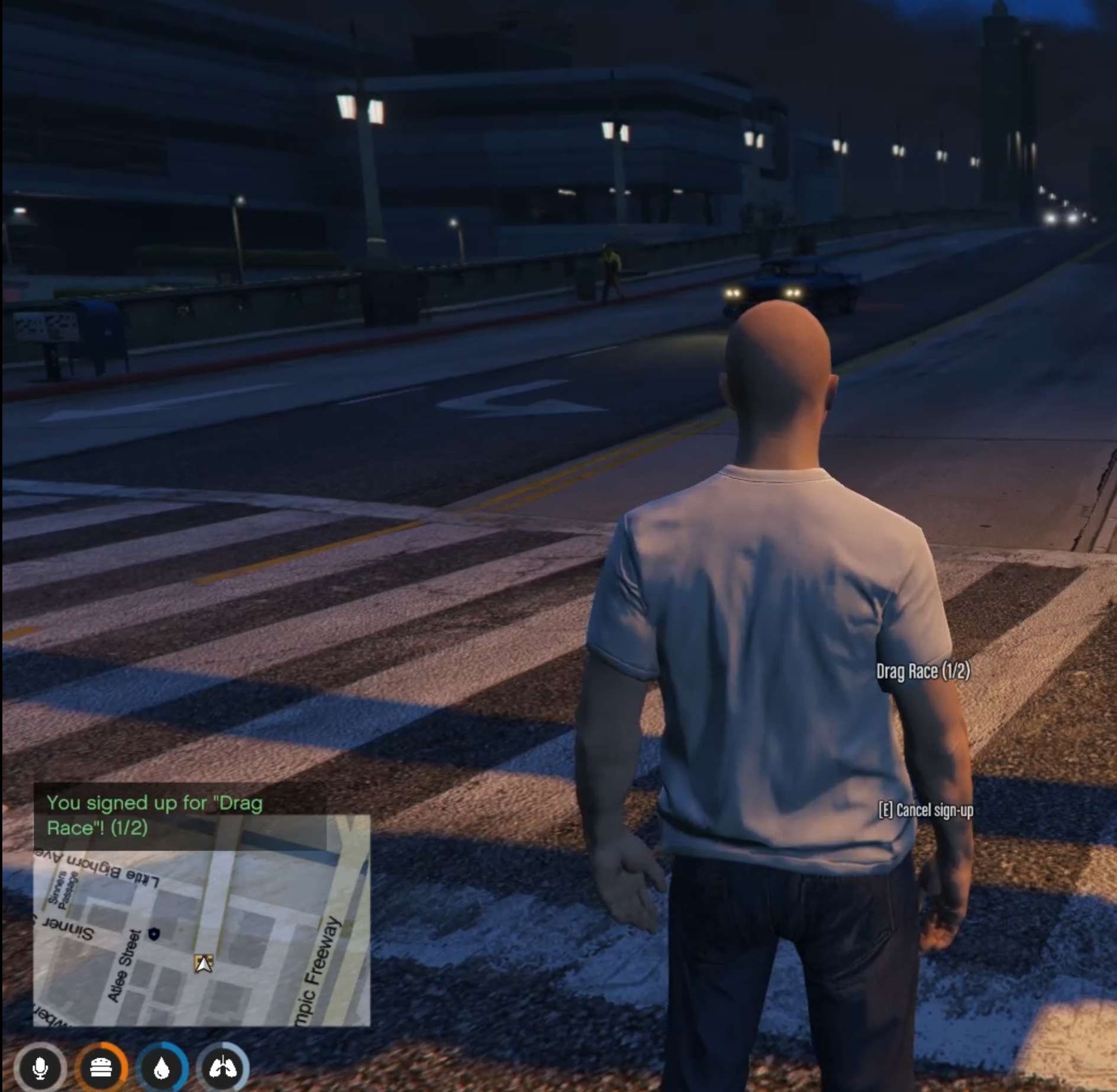
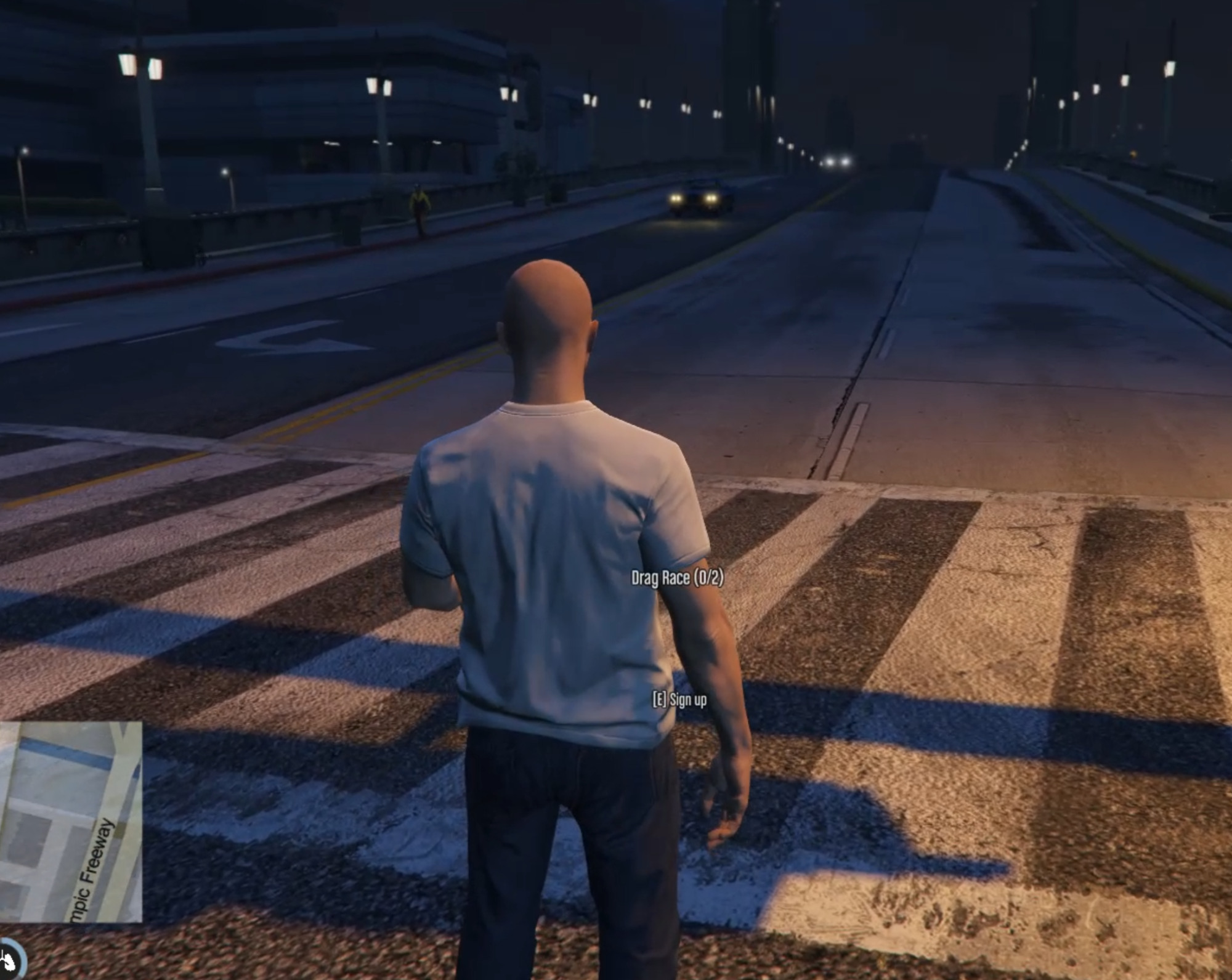
- **Player sign-up rosters** — players press **E** at an event's marker to join its roster, with live headcount shown above the marker. Enforces `Max Players` automatically. *Requires a coordinate location* (via "Use Waypoint"/"Use Current Location"); text-only locations run unlimited with no roster.
- **Countdown reminders** — default 30/15/5/1-minute warnings before every event, broadcast via chat, HUD, and cinematic subtitle text — each toggleable.
- **Per-event reminder overrides** — need a different reminder schedule for one event? Set it right in the create/edit panel.
- **Player-facing `/events` command** — players can check what's coming up without opening any menu.
- **Repeat events** — set an interval (e.g. every 1440 minutes = daily) and SEM automatically reschedules after each run.
- **Survives restarts** — your event schedule (including recurring events) is auto-saved locally and restored on restart, so you never have to recreate it. Player rosters reset fresh each restart — nothing about players is ever saved.
- **Framework agnostic** — works standalone (ACE permissions), or with QBCore / ESX job-based permissions.
- **Zero database** — no SQL setup, no migrations. Event schedules persist via a simple local JSON file; everything else stays in memory.
- **Console tools** — `sem_list` and `sem_cancel \` for admins/RCON.
### ⚙️ Setup
1. Drop the `SEM` folder into your `resources/` directory.
2. Add `ensure SEM` to your `server.cfg`.
3. (Standalone) Add `add_ace group.admin sem.admin allow` to grant your admin group access.
4. Restart the resource. Press **F7** in-game (admin) to open the panel, **F8** to view upcoming events.
Full configuration reference and install steps included in `README.md`.
### 🖥️ Compatibility
- FiveM `fx_version 'cerulean'`, `lua54`
- Standalone, QBCore, or ESX — set with one config line
- English locale included, fully translatable via `locales/en.lua`
### 📦 What you get
- Full source (Lua + HTML/CSS/JS)
- Configurable categories, blip styles, announcement channels, and permissions
- README with full setup, configuration, and command reference
- License terms (single-server use per purchase — see `LICENSE.md`)
### 🛠️ Support
Support provided via Tebex ticket on your purchase. Bug reports and feature requests welcome.
---